


Two checkouts in one buying journey
Pay for the item and domestic freight first. Once you select the stored items for a parcel, review the international shipping deposit and check the final charge after weighing.
Deal checks before and after checkout
Compare finds in the OrientDig Spreadsheet and follow the price through seller confirmation, warehouse checks and the final parcel bill.
Start with a shelf, then compare the chosen size, color and seller delivery charge.
Compare deals through the full order, from the seller’s price to the final parcel bill.
We’re an official OrientDig partner. Our guide follows a first purchase through the item payment, warehouse check and freight settlement.
About our partnershipBrowse wholesale-priced finds and compare QC photos. Check the price for your exact variant and the seller’s delivery charge before paying.
Browse the catalogStart with listings from trusted sellers, then check stock and any notice that the selected variant has repriced.
See how price changes workPut pieces from your shortlist on a model to see how they work together before committing to a haul.
Try on an outfitRead buyer feedback on item photos, parcel costs and delivery. Compare the order details when weighing two reviews.
Read community notesCheck the latest events and confirm whether an offer reduces the item price or the shipping bill before using it.
Browse current dealsCompare sellers and copy the listing link for the variant you want.
Paste the link into OrientDig and review the order breakdown before paying.
Review a changed price or stock message, then check the warehouse photos once it arrives.
Select the items, review packing options and confirm the international shipping estimate.
Pay for the item and domestic freight first. Once you select the stored items for a parcel, review the international shipping deposit and check the final charge after weighing.
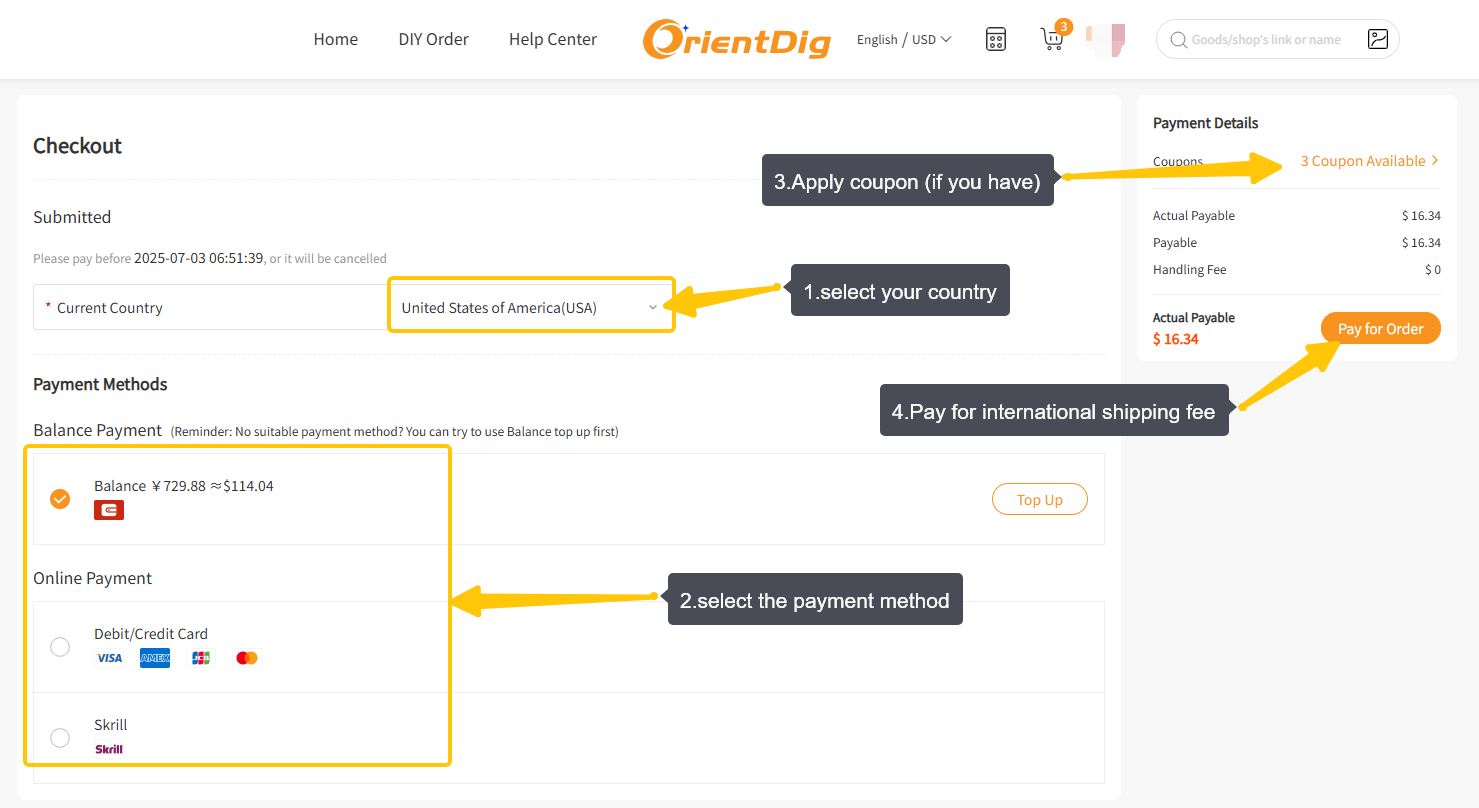
Keep item cost, domestic delivery, payment conversion and international freight on separate lines. Review a top-up or refund in the order before treating the purchase total as settled.
Compare the item shown in the photos with the color, model and included pieces you paid for. Open each image to see it at its original display size.
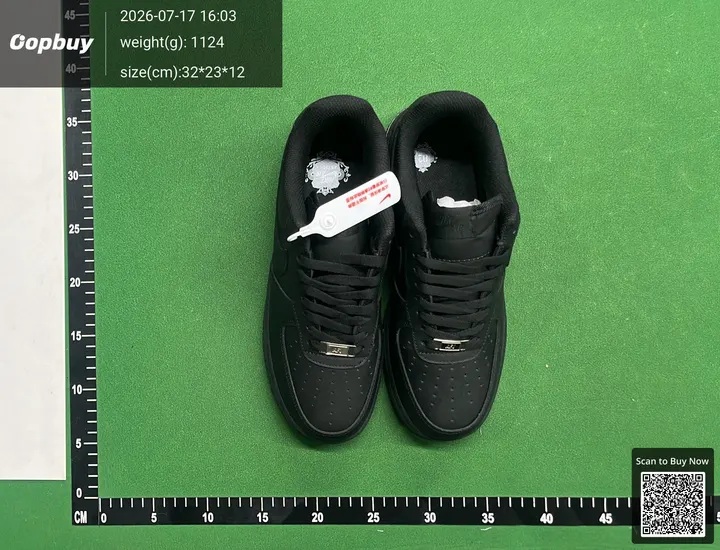
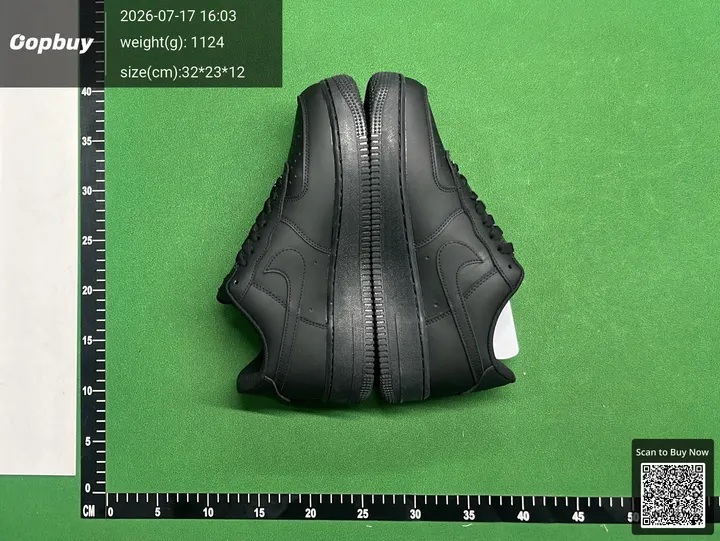
Sample catalog QC photos. Use the images attached to your own OrientDig order to check what arrived.
Read the warehouse checklistIf the seller changes the price or stock runs out, record the original payment and the follow-up amount. The Price-hold sheet helps you follow that change before you budget for freight.

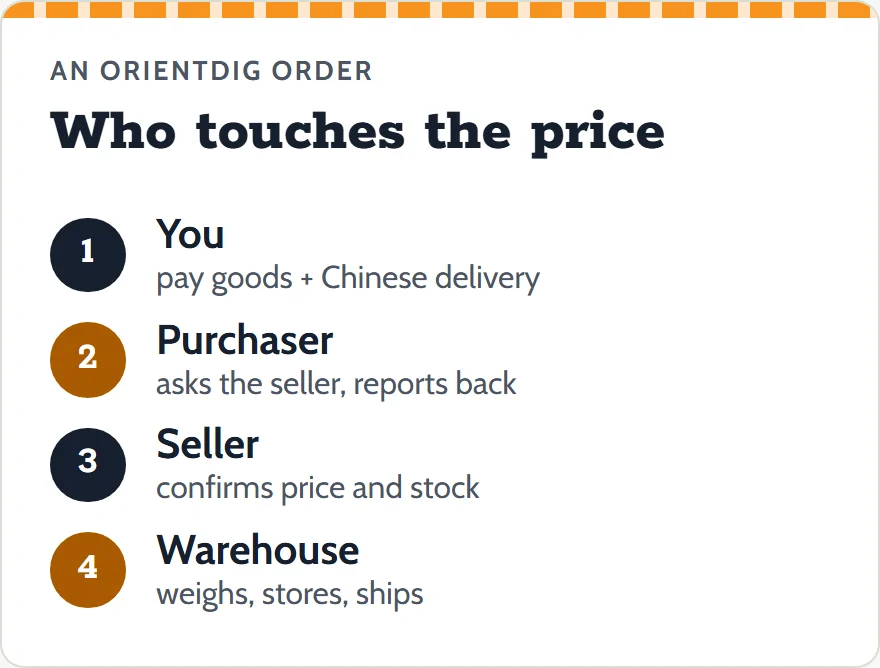
Between a catalog card and a delivered parcel, the price of a find is written down four times. Only the last one is the deal.
The figure on the seller's store page. Sellers do not always keep it, or the stock count, current.
Store pageGoods plus Chinese delivery at OrientDig's checkout. In the operator's 2025 example: $2.26 + $0.78 = $3.04.
Your first paymentWhat the purchaser hears from the seller: a new price, a new delivery fee, or "out of stock".
The agent's reportAfter any top-up or refund, and once the freight deposit is squared with the weighed parcel.
The final figureOrientDig asks for an outstanding balance, and its help center says that balance "mainly relates to Chinese domestic delivery fee". The order waits in Clear Balance until you pay, then the purchase happens within 24 hours.
Seller price changesThe stock count on a listing is only the seller's word. If you do not answer the out-of-stock notice within 72 hours, the agent cancels the line and the refund goes to your OrientDig balance.
Stock, cancellations and changesBefore the seller ships, the agent negotiates the change. After, it becomes a return from the warehouse and a new order, and the return postage is yours.
Changing an optionInternational freight is paid as a deposit from an estimate. The carrier's measurements fix the final charge, and the tutorial says any difference goes back to your account after the parcel ships.
The freight balanceHave the figures in front of you? The Price-hold sheet lines up what you paid against what was reported and names the rule for each line.
OrientDig's purchasing instructions include a table of service standards. These are the rows that decide how fast money moves once an order is paid.
| Moment | What the agent does | Time limit |
|---|---|---|
| The seller's figure is higher than your payment | Sets a make-up payment for the real value | none given |
| You pay the make-up or confirm | Completes the purchase | 24 hours |
| You cancel while the order is Processing | Cancels and refunds the amount actually paid | 24 hours |
| You cancel after it is Purchased | Checks with the seller, then accepts or proceeds with the return | 48 hours |
| Seller reports the item out of stock | Tells you; cancels if you have not replied | 72 hours |
| Seller has refunded the agent | Refunds you | 4 to 10 days |
Source: "Order Processing Service Standards" image in OrientDig's purchasing instructions (article edited June 10, 2025; image downloaded again November 10, 2026). OrientDig's older FAQ page words some of these moments differently, for example "within one working day" for a Processing cancellation; both versions are on the stock and changes page.
OrientDig is a shopping agent serving buyers outside China. It purchases from Taobao, Tmall, 1688 and Weidian, collects the goods at its warehouse in Shenzhen, and sends them on as parcels. Its purchasing instructions say the buying is done by third-party purchasers it trains and supervises; those are the people who contact the seller and come back with the figures this site is about.
OrientDig charges no handling fee on orders from common platforms, according to its fee page. Its Contact Us page names AMBERLEIGH TECHLIMITED as the company (checked November 9, 2026). We are an independent guide, not OrientDig; our sign-up links carry a referral code.
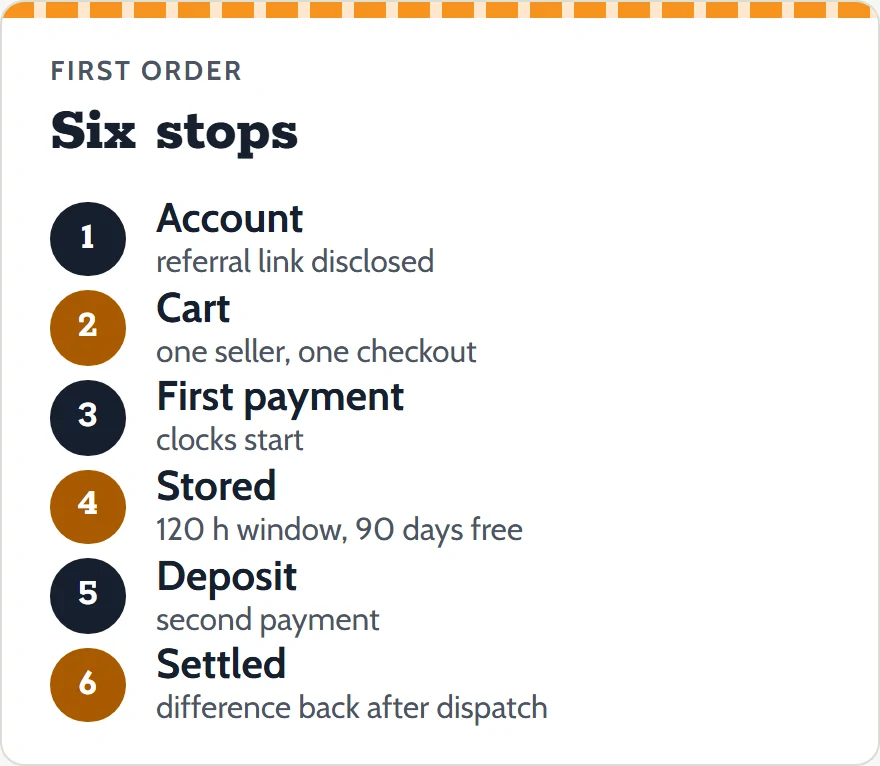
New to OrientDig? The first-order walkthrough goes from link to parcel and then to the last settled figure: opening an account, filling the cart so one seller means one delivery fee, the first payment and its clocks, storage, the freight deposit, and the checks to make after dispatch.
It pairs with the catalog, where each shelf note says what tends to move for that kind of item, and with the costs page, which lists every line that can join the bill and the display rate OrientDig showed on November 10, 2026.
The walkthrough is deliberately unglamorous. It spends as long on the day the parcel's Details link starts showing the real billing weight as on the day you paste the first link, because that later day is when you find out whether the price you were pleased with at checkout survived.
OrientDig pages last re-read November 10, 2026. Changes are logged on the updates page.